
This site works best with chrome.
Drag N Draw
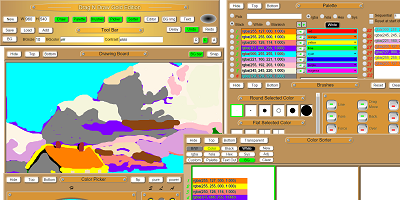
The purpose of the Drag N Draw program was to learn how to draw lines on a canvas element, and to play with color. It further gave me an opportunity to fulfill a lifelong dream of making what I call the Edge Brush, that uses a hierarchy of bristles to write over or not write over other bristles for some great effects. Curiosity lead me to over work this program to include transparent colors, true color mixing, and a custom brush editor. The program contains may unique features. Including true color mixing, so that blue and yellow make green, just like you remember from childhood. And native handling of transparent color while coloring, mixing and blending. And this program includes a color picker and sorter you will want to use no matter what drawing program you end up using.
Fourier Draw
Videos:
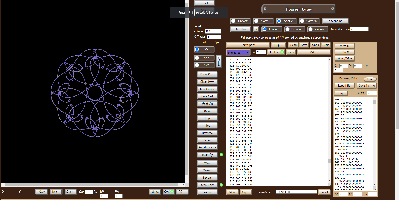
This program draws using fourier transform. It is also a SVG editor. Very cool, very hard to use and understand. Good luck untill I get a video made.
Color Flashlight
Videos:
 Introductory Video
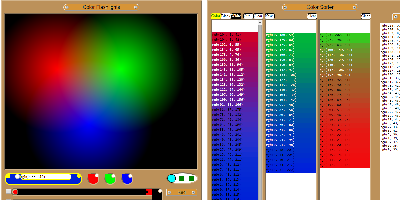
The Color Flashlight program was my first attempt to understand color mixing. It loads with RGB lights, but can be switched to CYM. Its primary goal was to find color gradients. I considered for a while integrating this with the Drag N Draw program. But if you find some colors you want to use in the painter, they can easily be output to text and imported into Drag N Draw. Being an older program it does not include transparent color and only outputs in RGB, but Drag N Draw can change that for you.
Float Test
Videos:
Introductory Video
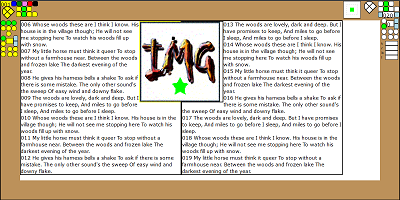
The Float Test program is a demonstrator of HTML5 positioning of elements. Extraordinarily handy, it has save me many hours of coding by allowing me to dynamically try various settings without hand coding each experiment. It has, by far, saved me more time than it took to write. I am sorry, but this will be very difficult to use, but once you learn it, what you can do with it will amaze you.
Drag and Drop Test
Videos:
Introductory Video
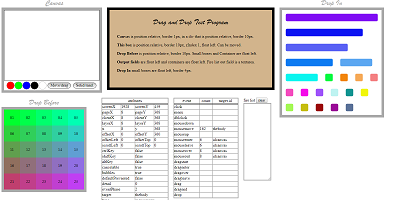
The Drag and Drop or Drag and Move program was designed to show how to do drag and drop, and move functions. It also helped to isolate the differences in handling, and values returned, by different browsers. Very useful and lots of fun. It includes a drawing program so you can see the drop and move events spacing and a real fun event demonstrator that you can drag and drop into different configurations to watch mouse down and mouse up events propagate.
Keyboard
Videos:
Introductory Video
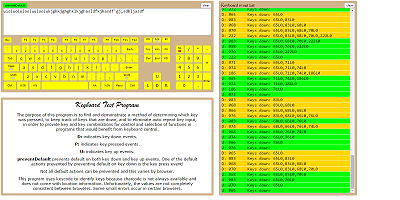
The Keyboard program demonstrates how to capture key strokes and mouse clicks in JavaScript. The program captures all keyboard events except "print screen/System request" which does not give a key down event. But I don't expect that to be a problem. It was also an early experiment in positioning variably sized divides using float. If you just use the keyboard the Number lock key will track correctly, and when using the mouse the shift key behaves as a Shift lock key (not very usefully otherwise). Though all keys respond on screen, not all keys do something. The letters, numbers, space bar, Tab, Backspace and Enter key will show on the "paper". And Caps lock, and Shift have their effects but that is all.
Conway's Game of Life
Videos:
Introductory Video
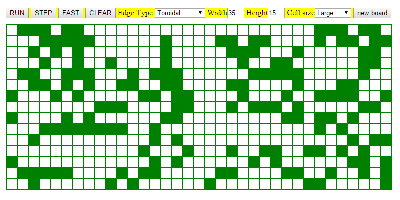
The game of Life is not my invention, but I did write this implementation of it. This was the first program I wrote for this project. I will be needing a lot of grids and wanted to get away from tables, and needed to learn to dig around in the grid. Since I've always wanted to write a Life program this seemed like the perfect opportunity. Unique features of this program include variable edge behaviors. Enjoy.

 © Although these programs are provided as examples, and you may use the math and snippets of code
for any legal purpose, the overall look and feel of the programs, where unique, may not to be copied.
© Although these programs are provided as examples, and you may use the math and snippets of code
for any legal purpose, the overall look and feel of the programs, where unique, may not to be copied.